
I used to count the cost of an AI workflow by the minutes it saved me in the first draft. A summary that appeared in thirty seconds felt like free time. An email rewrite that landed in one pass felt like efficiency. I logged the wins and moved on.
Then I started tracking the full cycle. The time spent checking the summary against the source. The time spent removing soft commitments the rewrite had added. The quiet decision to paste client material into a tool whose data practices I had only skimmed. The occasional full rework when a polished output turned out to rest on a subtle misread. Those costs did not appear in the first-draft timer. They appeared later, and they added up.
An AI workflow has three recurring costs that rarely show up in the demos: review time, privacy exposure, and rework. Ignoring them produces a flattering picture of speed. Accounting for them produces a more accurate picture of whether the workflow is actually worth repeating.
Review Time Is Not Optional Overhead
Every useful AI output still requires human review. The amount varies, but the requirement does not disappear. I have never found a prompt so reliable that I could skip reading the result against the original material or the original intent.
Review time shows up in different forms:
Checking that facts or claims have not drifted
Confirming that no new commitments, owners, or deadlines were invented
Restoring voice that has slipped into generic fluency
Deciding whether the output is clear enough to send or publish as-is
When I stopped treating review as an afterthought and started timing it, the net savings of some workflows shrank dramatically. A research summary that generated in twenty seconds often needed eight to twelve minutes of careful checking before I trusted it. An email rewrite that looked ready sometimes needed only light edits; other times it needed enough repair that writing the message from scratch would have been faster.
The workflows that survive are the ones where review time stays predictably short and the errors are easy to catch. The workflows that quietly lose money are the ones where review is long, irregular, or easy to rush.
Privacy Is a Cost You Pay Whether You Notice or Not
Every time material leaves your device and enters a model, a privacy decision is being made. Most of the time the decision is made by default rather than by deliberation.
I treat privacy cost as the combination of three questions:
What data am I sending?
What does the provider say they do with it?
What would happen if that data appeared in a place I did not expect?
Client notes, unpublished drafts, internal strategy, personal correspondence, and anything covered by a confidentiality agreement all carry higher stakes. Public blog posts or already-published material carry lower stakes. The cost is not only the formal risk; it is also the ongoing attention required to keep the two categories separate.
I have simplified my own practice to a short rule. If I would not paste the material into a shared document with a stranger, I do not paste it into a general-purpose model without checking the current data-use terms and, when necessary, stripping or anonymizing the sensitive parts. That rule slows me down on some tasks. It has also prevented the low-grade anxiety that comes from knowing I have been careless.
Privacy cost is easy to postpone and hard to unwind. Accounting for it at the start of a workflow is cheaper than discovering later that material you cared about has been treated as training data or logged in a system you do not control.
Rework Is the Cost of Fragile Success
Rework appears when an output that looked good on first read turns out to be wrong, incomplete, or misaligned once you examine it more carefully or try to use it. It is the most frustrating of the three costs because it arrives after you thought the work was done.
Common triggers:
A summary that dropped an important exception
An action list that assigned owners the notes never named
A draft that drifted from the original goal while remaining fluent
A result that worked on one input and failed on the next similar input
Each of these requires returning to the source material, correcting the output, and often adjusting the prompt or the process so the same failure is less likely next time. The time spent is pure cost. It also erodes confidence in the workflow itself.
The prompts and processes that minimize rework share a few traits. They are short enough that their behavior is understandable. They make gaps visible instead of papering them over. They are tested on more than one input before they are trusted. And they keep a human review step in a fixed place rather than treating it as optional.
A Simple Way to Calculate the Real Cost
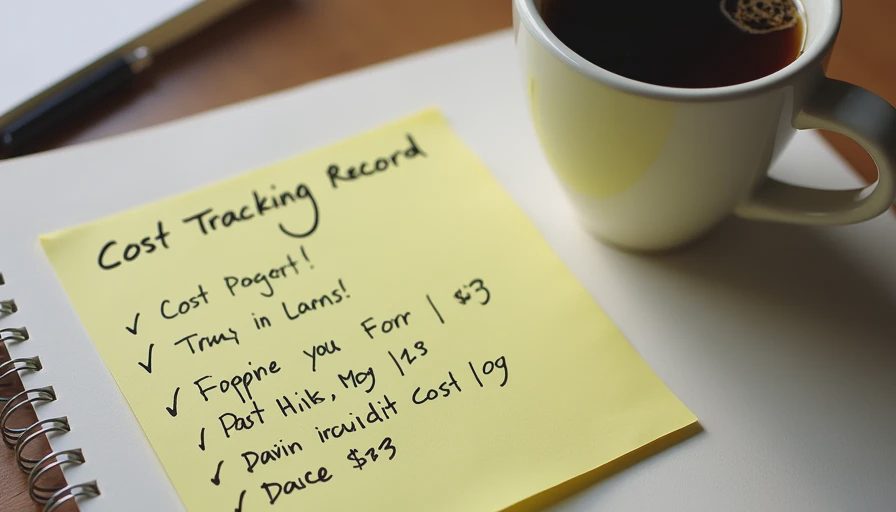
I use a short after-action note for any workflow I plan to repeat. It contains four lines:
Time to first output
Time spent reviewing and correcting
Any privacy decision I had to make
Whether rework was required after I thought I was finished
After a few cycles I can see the pattern. Workflows that regularly produce a low review-to-output ratio and rare rework are keepers. Workflows that look fast on the first timer and then consume unpredictable review or rework time get simplified or retired.
The note does not need to be elaborate. It only needs to be honest. The goal is not to abandon AI tools. The goal is to stop mistaking first-draft speed for total cost.
What Changes When You Account for All Three Costs
Several habits follow naturally once review, privacy, and rework are treated as real costs rather than background noise.
You write shorter prompts because shorter prompts are easier to review against.
You test on multiple inputs before you trust a prompt, because a single success does not predict rework rate.
You keep sensitive material out of tools whose terms you have not checked, even when the tool would be convenient.
You design the human review step as part of the workflow instead of an afterthought.
You accept that some tasks are still faster to do entirely by hand.
None of these habits are dramatic. Together they produce workflows that remain usable months later instead of collapsing under accumulated friction.
A Realistic Example
I once built a weekly research workflow that generated clean briefings in under a minute. The first-draft time looked excellent. After four weeks of honest tracking I found that review regularly took eight to ten minutes, that I was occasionally pasting material I would not have shared freely, and that roughly one week in four required significant rework because an exception or a scope limitation had been dropped. The net time savings were real but much smaller than the first-draft numbers suggested. More importantly, the privacy exposure and the intermittent rework made the workflow feel heavier than it should have.
I shortened the prompt, added an explicit exceptions section, and restricted the sources I was willing to paste. Review time dropped. Rework became rare. The workflow became something I was willing to keep. The improvement came from counting the full cost, not from chasing a faster first output.
Starting With the Smallest Useful Version
The same principle that guides prompt design applies to workflows. Start with the smallest version that still produces a usable result and includes an explicit review step. Run it long enough to see the real review time, the privacy decisions it forces, and the rework it generates. Only then decide whether adding complexity improves the total cost or merely decorates the first draft.
A workflow that looks impressive in a demo and expensive in daily use is not a good workflow. A workflow that looks modest and remains cheap to review, safe to run, and rare to rework is the one worth keeping.
Count the review time. Respect the privacy decision. Design to minimize rework. The first-draft speed will still matter, but it will no longer be the only number you see. Start with the smallest useful version of the process, measure the full cycle, and let the total cost decide what stays.



No notes on this sheet yet.