
I once spent an afternoon polishing a prompt that produced the most elegant research summary I had seen all week. The language was precise. The structure was clean. The tone matched exactly what I had asked for. I felt briefly brilliant.
Then I tried to use the same prompt the next day with a different set of documents. The output fell apart. The elegant version had been tuned so tightly to one input that it stopped being useful the moment the material changed. It was clever. It was not reusable.
That distinction sits at the center of how I build prompts now. Cleverness is easy to admire in a single successful run. Reusability is what lets the same prompt still help you three weeks later, with different content, under slightly different constraints, without forcing you to rewrite the whole thing from scratch.
Clever Prompts Versus Working Methods
A clever prompt often looks impressive on the page. It may contain a long role description, a detailed style guide, multiple output formats, and a list of edge-case instructions. When it works, the result feels polished. The problem is that most of that polish is fragile. Change the input length, the domain, or even the model version, and the carefully balanced instructions start colliding with each other.
A reusable prompt is quieter. It names the task, marks the variables that actually change from one use to the next, and leaves enough room for the model to adapt. It does not try to solve every possible future problem in a single block of text. Instead it gives you a stable starting point you can adjust without losing the core logic.
I keep both kinds of prompts in my notes for a while so I can compare them. The clever ones tend to accumulate comments like “worked once” or “too specific to this draft.” The reusable ones get used again. That is the practical test.
The Three Qualities That Make a Prompt Last
After testing a large number of versions for everyday professional tasks, three qualities keep showing up in the prompts I actually return to.
1. Clear task boundary
The prompt states what the model is supposed to produce and, just as importantly, what it is not supposed to invent. Vague goals such as “make this better” or “write something professional” force the model to guess. Specific boundaries reduce the guessing.
A reusable email-rewrite prompt, for example, does not say “improve this email.” It says something closer to: Rewrite the email so the request is clear, the tone stays natural, and no new commitments are added. That single sentence already excludes a range of common failure modes.
2. Explicit variables
Anything that will change from one use to the next is marked as a variable rather than hard-coded into the instructions. Audience, length, format, and source material are the most common ones. When those elements sit inside brackets or short labels, you can swap them without rewriting the surrounding logic.
I used to bury the variables inside long sentences. The result was that every new use required careful editing just to avoid breaking the rest of the prompt. Marking them clearly turned the same prompt into a template I could adapt in under a minute.
3. Room for controlled improvement
A reusable prompt is written so that you can change one element and still recognize the original structure. That makes version testing possible. If every instruction is tightly interwoven with every other instruction, a single revision risks collapsing the whole thing. A modular baseline lets you add, remove, or tighten one part while keeping the rest intact.
A Side-by-Side Example From Meeting Notes
One of the prompts I use most often turns messy meeting notes into a short list of next actions. Early versions were clever in the wrong way. They asked the model to adopt the persona of an executive assistant, enforce a particular corporate tone, group items by priority, estimate time, and flag risks. The outputs looked organized. They also invented action items that no one had actually agreed to.
Here is the overbuilt version I eventually abandoned:
You are a highly organized executive assistant with ten years of experience supporting senior leadership. Convert the following meeting notes into a clean action-item list. Group items by owner. Assign a priority level (High / Medium / Low). Estimate time required. Flag any risks or dependencies. Use a professional but approachable tone. Do not include discussion points that did not result in a decision. If ownership is unclear, assign it to the meeting organizer and note the uncertainty.
The prompt produced tidy lists. It also quietly manufactured decisions. That is a high cost for polish.
The reusable version that replaced it is shorter and more honest:
Turn these meeting notes into a list of clear next actions.
For each action include:
What needs to be done
Who is responsible (only if stated in the notes)
Any deadline mentioned
If ownership or timing is not stated, leave those fields blank rather than guessing. Keep discussion points that did not produce an action out of the list.
This version is less impressive on first glance. It is far more reliable across different meetings, different note-takers, and different levels of detail. When I need more structure later, I can add one constraint at a time and test whether the addition actually helps.
How to Test Whether a Prompt Is Reusable
I use a simple three-step check before I trust a prompt enough to keep it in regular rotation.
First, run it on the original material that inspired it. This is the easy test. Most prompts pass.
Second, run it on two or three different but related inputs. For a research summary prompt, that means documents of different lengths and topics. For an email prompt, that means messages with different goals and tones. If the output quality drops sharply, the prompt is probably over-fitted.
Third, change one variable deliberately and see whether the rest of the prompt still holds. Add a length limit, remove a tone instruction, or switch the output format. A reusable prompt survives these small shocks. A clever-but-fragile prompt often does not.
I record the results next to the prompt itself. The notes are usually brief: “Held up across three document types. Adding a table format improved scannability without harming accuracy.” Those short records save more time than any elaborate template I have ever collected.
Why Beginners Benefit Most From Reusable Prompts
It is tempting to think that long, detailed prompts are safer for people who are still learning. In practice the opposite is often true. A long prompt hides the cause-and-effect relationship between instruction and result. When something goes wrong, the beginner has no clear place to start debugging.
A short, reusable prompt makes the relationship visible. You can see which line controls the structure, which line controls the tone, and which line prevents the model from inventing details. That transparency is more valuable than a polished first output that cannot be adjusted.
I still remember the first time I deliberately stripped a prompt down to its minimum useful form and then rebuilt it one change at a time. The process felt slower at the start. By the end of the week I had a small set of prompts I actually understood and could adapt without starting over. That understanding compounds.
Practical Habits That Protect Reusability
A few working habits have kept my prompt library from turning into a graveyard of one-off experiments.
I keep the original baseline even after I improve it. Looking back at V1 next to V3 shows me which additions earned their place.
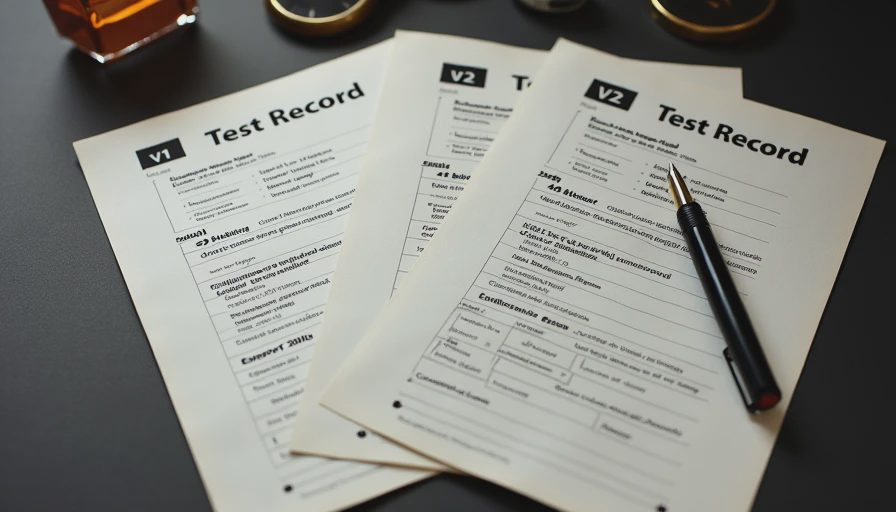
I change only one meaningful variable between versions. If I change three things at once and the output improves, I still do not know which change mattered.
I test with real work inputs rather than idealized examples. A prompt that only works on clean, short, well-structured source material is not ready for daily use.
I accept that some prompts will remain narrow. A highly specialized prompt for one recurring task can still be valuable. The goal is not universal prompts. The goal is prompts that remain useful across the range of situations they were designed for.
Finally, I treat every successful output as information rather than proof. One good result is encouraging. Consistent results across varied inputs are what make a prompt worth keeping.
Starting With the Smallest Useful Version—Again
The same principle that guides the rest of this site applies here. Begin with the shortest version of the prompt that still produces something you can evaluate. Make that version do real work. Only then decide whether adding length, roles, or extra constraints improves the outcome enough to justify the added complexity.
Clever prompts can win a single demonstration. Reusable prompts win the following Tuesday when you need the same task done again with different material and less time to spare.
If you already have a prompt that feels clever but fragile, try the three-step check above. You may discover that removing half the instructions makes the remaining half more reliable. That discovery is usually more useful than any new template.
Reusable beats merely clever. Start with the smallest useful version, test it across real inputs, and keep only the changes that still work when the material changes.


No notes on this sheet yet.